Mine Antarctica Beginner Guide — Climb, Mine, Sell, Upgrade
How to start in Mine Antarctica: the four-step core loop, the cold and Warmth, crystal weights, selling for Cash, and the upgrades that matter first.
What kind of game is Mine Antarctica?
Mine Antarctica is a free mining simulator on Roblox by PolarMine Games. You play a climber on an Antarctic mountain: every level of the mountain holds crystal veins, the cold gets worse the higher you climb, and every crystal you sell funds the gear that lets you climb again. It sits in the popular “mine and upgrade” family of Roblox simulators, but with two twists — the cold punishes greed, and a new mining zone rotates in every hour.
The game opened in July 2026 and has been climbing the Roblox charts since, passing four million visits and a 97% like ratio in its first months.
The core loop, in four steps
Everything in the game feeds one loop. Learn it once and you know what every upgrade is for:
- Climb. Each altitude band is colder and holds rarer crystals. Warmth decides how far up you can work before you must head down — see the warmth guide.
- Mine. Swing your pickaxe at crystal veins and boulders. Mined crystals go into your backpack, and each one has a weight measured in kilograms.
- Sell. Sell crystals for Cash, the main currency, at the selling point. Weights matter: a full backpack of heavy crystals is a full run’s income.
- Upgrade. Cash buys Warmth, Pickaxe and Backpack tiers. Each one unlocks more of the mountain — the full comparison is in our upgrade priority guide.
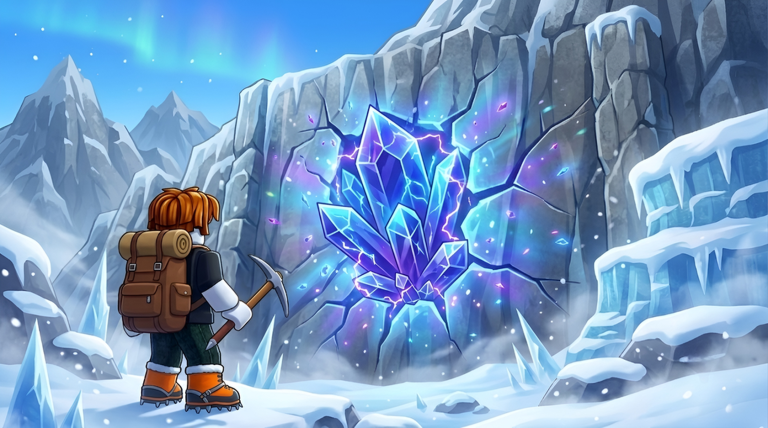 The difference a few upgrades make: a rusty starter pickaxe on flat ice, or a strong pickaxe and
a backpack full of crystals in the rich veins.
The difference a few upgrades make: a rusty starter pickaxe on flat ice, or a strong pickaxe and
a backpack full of crystals in the rich veins.
First session: what to do in order
Your first thirty minutes set up everything after them:
- Join the group before you mine anything. Liking the game and joining the PolarMine Games group grants the official +1 Mining Luck bonus — free luck for one click. The details are in the mining luck guide.
- Stay in the warm zones first. Mine the low bands until you can afford Warmth upgrades; they are what turn the cold from a wall into a schedule.
- Do not ignore the garden. Placing crystals in your garden is the other official luck source. Even early crystals parked in the garden keep working for you.
- Sell before you climb. An unsold crystal is locked money. Sell, upgrade, then climb.
What the game does not tell you (yet)
Mine Antarctica does not publish numbers in advance, so treat any specific value you read anywhere — including other sites — with care:
- Upgrade costs for Warmth, Pickaxe and Backpack tiers are not listed in the official description. Check the in-game shop for current prices.
- Crystal values by type and weight are shown in-game when you mine and sell; there is no official table.
- Redeem codes do not exist yet — see the codes page for the current status instead of trusting “working codes” lists on other sites.
What to read next
- Hourly zones guide — how the every-hour zone rotation works and how to use it.
- Crystal guide — weights, rarities, and hidden treasures.
- Backpack guide — capacity, run length, and when bigger stops being worth it.
Related Articles
crystals
Selling Crystals in Mine Antarctica — Cash, Weights and Timing
How selling works in Mine Antarctica: crystals weigh kilograms, sell at the selling point for Cash, and timing sales around the hourly rotation keeps income flowing.
guides
Mine Antarctica FAQ — Answers to the Most Common Questions
Direct answers about Mine Antarctica: what it is, whether codes exist, why the cold matters, how luck works, what crystals weigh, and what remains unverified.
upgrades
Mine Antarctica Upgrade Priority — What to Buy First
A sensible upgrade order for Mine Antarctica: group bonus and garden first, Warmth until you stop freezing, then Pickaxe and Backpack in the order your runs demand.
Was this helpful?
Thanks for the feedback!